

SPCAD FOR AutoCAD
Introduction
Transform your AutoCAD experience with SPCAD, the essential add-on meticulously crafted for surveyors, engineers, and mapping professionals. It powerfully bridges the CAD and GIS divide through an extensive suite of over 150 specialized tools. These tools integrate diverse import/export capabilities and manage over 4500 coordinate systems with ease.

SPCAD v25.1 for AutoCAD: New Features Overview
Get an overview of SPCAD v25.1 for AutoCAD. This video shows more than 20 new tools and how they improve features in coordinate systems, analysis, geometry, and land management. Learn about the latest additions to your plugin.
Featuring advanced functions for cartography, topography, cadastral mapping, analysis, and geometry, SPCAD streamlines complex tasks. This comprehensive functionality, coupled with multilingual options, dramatically boosts productivity. You can achieve precise, detailed designs effortlessly, all within its intuitive interface.
SPCAD’s Functional Sections
1. File Import/Export
SPCAD makes it super easy to move your design data around. You can seamlessly import and export tons of different file types, including KML, SHP, CSV, XYZ, GPX, GEOJSON, LAS, and now, even GML. This means you can effortlessly shift important spatial information between your CAD and GIS programs, making sure everything works together smoothly.

2. Coordinate Systems
SPCAD makes managing your coordinate systems straightforward. You can easily assign, unassign, and view all the details for any system you’re working with. It’s simple to convert grid-to-ground coordinates or set up your own custom transformations. Now, you can also import OSM vector data, bring in web map tiles from Esri and other trusted sources, and work with .geprint files. Plus, use your geotagged Exif images and even mosaic multiple images together, all while ensuring your raster data is perfectly placed with precise georeferencing.

3. Cartography
Enhance map visualization with SPCAD’s map elements, cartographic grids, and dynamic labels, including polyline tables. Generate powerful, automated Atlases and data-driven sheets for intuitive cartographic representation. Produce professional maps effortlessly.


4. Topography
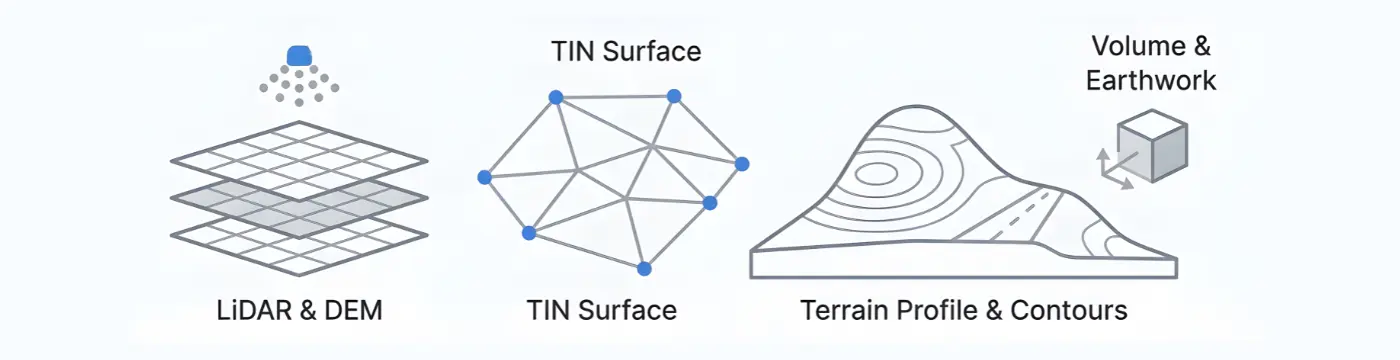
SPCAD makes terrain modeling incredibly easy. Manage points with the Point Group Manager and create/handle surfaces with the TIN Manager, supporting formats like DEMs and LandXML. Quickly generate cross-sections, profiles, contours, calculate volumes, and compare TINs for precise, effortless terrain analysis.


5. Analysis
SPCAD truly empowers advanced spatial analysis. Go beyond basic with versatile Point, Line, and Polygon Buffer tools, plus specialized Double and 3D Polyline Offset functions. Easily cut, merge, or generate Voronoi polygons, and clip drawings. Create new features from your data using Convex Hull, Shrinkwrap, Line/Polygon from Points, or Split Polylines. Even count Lines and Blocks, and Break Text for deeper, precise insights from your spatial data.

6. Geometry
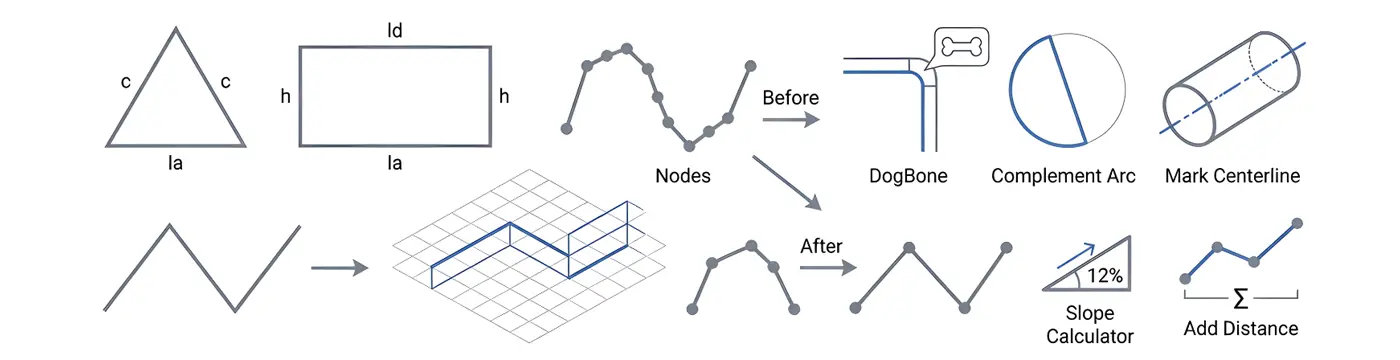
SPCAD simplifies all your geometry tasks. You can easily create basic features like triangles and rectangles, or use powerful polyline tools to convert 2D to 3D, minimize nodes, and trace lines. Advanced functions like inserting vertices, complementing arcs, DogBone, Best Fit Polyline, straightening, Break Distance, Mark Centerline, and Interpolate 3D Polyline ensure a smoother, more precise workflow.
7. Cadaster
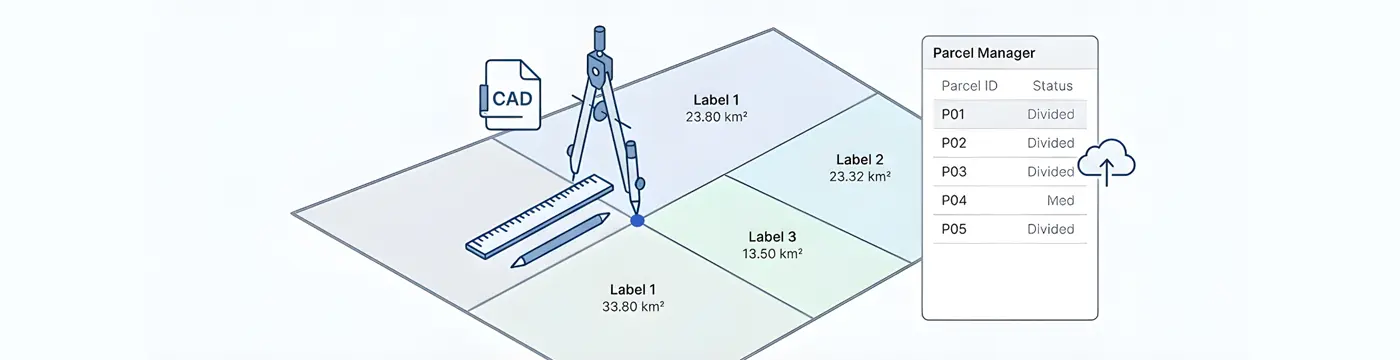
SPCAD significantly enhances land management and cadastral workflows. Through its powerful Parcel Manager , you can effortlessly Construct Parcels, perform detailed Lot Division (including Quick Division), and Annotate Parcels with ease. Seamlessly Export Parcels to various formats, ensuring highly efficient and precise handling of all your cadastral data.

8. SPCAD
Access essential functions such as Online Help, Language Switching, License Management, and Software Updates. These tools ensure you can keep SPCAD up to date and perfectly customized for your needs, providing an effortless user experience.
Key Features of SPCAD for AutoCAD
- Import/Export: Imports/exports all major CAD/GIS formats, including GML.
- Coordinate System Management: Manages 4500+ coordinate systems; imports OSM, web map tiles, geotagged images, and .geprint files.
- Map Making: Creates professional maps with map elements, grids, dynamic labels, and automated Atlases.
- Surface & Volume Analysis: Comprehensive terrain modeling: TINs, contours, volumes, and Point Group Manager.
- DEM & LandXML Support: Full DEM and LandXML import/export.
- Raster Georeferencing: Precise raster georeferencing using ground control points.
- Track Coordinates: Real-time coordinate tracking across systems.
- TIN Manager: Efficiently manages TINs, including creation from points.
- Quick Cross-Sections & Profiles: Instant cross-sections, profiles, and elevation graphs.
- Analysis: Advanced spatial analysis: buffers, polygon operations (cut, merge, Voronoi), feature creation, and data counts.
- Geometry Enhancements: Simplified geometry: polyline manipulation (2D to 3D, nodes), arc tools, best-fit curves, and advanced polyline editing.
- Cadastral Management: Efficient cadastral management: lot division, parcel construction, annotation, and export.
- Geolocation & Google Earth: Google Earth integration: KML/KMZ export, QR codes, and screen capture.
- SPCAD Utilities:Online Help, language options, licensing, and updates.
Technical Information
- Software Compatibility: Supports AUTOCAD Professional 2015 to 2026.
- Language: Available in English, Spanish, Polish, Greek, Portuguese, Czech, French and Turkish.
- Multi-Device Activation: A single license can be activated on up to five devices.
- License Type: Annual subscription.
- Free 14-Day Trial: Fully functional trial available.
Videos and Descriptions
SPCAD for AutoCAD: Essential Tools in Action
A Powerful CAD Plugin – Explore SPCAD’s comprehensive toolset, including import/export, coordinate systems, cartography, analysis, geometry, topography, cadaster, and more.
How to Use TIN Manager in AutoCAD using SPCAD
SPCAD’s TIN Manager is your go-to tool for complete terrain model control. Easily create TIN surfaces from your point data, then import and export them in popular formats like DEM and LandXML. Beyond basic handling, you can also create new features directly from your TINs, edit the surfaces with precision, and confine them to specific boundaries. This comprehensive manager makes all your terrain management tasks simple and efficient.
How to Use Point Group Manager in AutoCAD using SPCAD
SPCAD’s Point Group Manager helps you efficiently classify and manage all your survey points. Easily import data from files, objects, or DEMs, and directly edit elevations. It also generates contours, convex hulls, shrink-wraps, and exports data to tables for quick analysis.
How to Add Web Map Tiles in AutoCAD using SPCAD
SPCAD allows users to integrate online map data directly into their drawings. Users can bring in web map tiles from ESRI and other trusted sources. You have the flexibility to choose from various resolutions, and the imported map data is automatically saved as a PNG image within your drawing.
Contour Generation with Adjustable Smoothness in AutoCAD using SPCAD
Create precise contour lines with adjustable smoothness, giving you more control over your terrain representation. This feature allows for clearer, more accurate maps perfectly tailored to your project’s needs.
Import OSM, Add Tiles, and Export KMZ in AutoCAD using SPCAD
SPCAD lets you easily import OSM vector data and add web map tiles. Effortlessly export designs as KMZ files for sharing and seamless online map data integration.
Insert Cartographic Grids in AutoCAD using SPCAD
SPCAD simplifies adding professional cartographic grids. Easily insert Graticule, Measured, and Reference Grids to enhance map clarity and precision.
Raster Georeferencing in AutoCAD using SPCAD
Accurately rectify and align raster images using ground control points for precise spatial referencing.
Creating Atlas over Area in AutoCAD using SPCAD
Design detailed atlases with map elements for precise geographic visualization.
Track Coordinates in AutoCAD Using SPCAD
Track cursor coordinates in real-time across different coordinate systems, enhancing precision in your CAD workflows.
Transform Overlapping Shapes into Sub-Segments in AutoCAD using SPCAD
Discover how to split overlapping shapes into sub-segments efficiently in AutoCAD with SPCAD’s advanced geometry tools.
TIN Comparison using SPCAD
Compare multiple TIN surfaces in AutoCAD with SPCAD v25.0 to analyze terrain changes and calculate volume differences.
How to Save Google Earth Images & Import into AutoCAD using SPCAD
Follow a step-by-step guide to capture Google Earth images and import them into AutoCAD for accurate mapping with SPCAD.
How to Calculate Geo Distance in AutoCAD
Learn to calculate geodetic distances between points in AutoCAD with SPCAD’s coordinate system tools for precise spatial analysis.
SPCAD FOR AutoCAD
A high-performance engineering and GIS add-on packed with over 180+ specialized tools. It bridges the gap between CAD and GIS, simplifying complex drafting, topographic mapping, and spatial analysis tasks within a single, intuitive interface.
Functional Modules

01. DATA EXCHANGE (IMPORT/EXPORT)
Ensure seamless CAD–GIS interoperability with bi-directional data exchange. Import and export KML, SHP, GeoJSON, GML, XYZ, GPX, LAS, and CSV with full coordinate integrity. Convert CAD entities into GIS-ready attributes with block and table extraction.

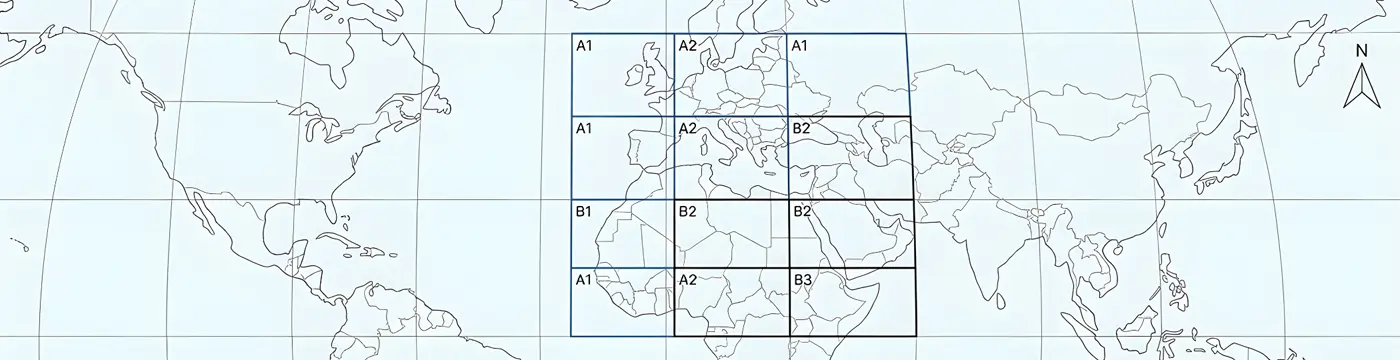
02. COORDINATE SYSTEMS & GEO-TOOLS
With 4500+ global coordinate systems. Perform CAD transformations, raster georeferencing, and unit conversions. Import OSM data, download map tiles, and use tools for mosaicing, clipping, geotagging, geo-distance calculation, and QR-based location access.
03. CARTOGRAPHY & ATLAS PRODUCTION
Create professional maps with automated atlas sheets. Add dynamic elements like north arrows, scale bars, and legends. Generate labels, grids, and high-quality PDF outputs with precise cartographic control.

04. SPATIAL ANALYSIS
Perform buffering, offsets, clipping, merging, and Voronoi generation. Create and refine features using convex hull, shrinkwrap, and point-based tools. Analyze data with polyline editing, counting, and text processing.
05. GEOMETRY & INQUIRY TOOLS
Create and edit geometry with tools for 2D–3D conversion, node optimization, and line tracing. Use advanced functions like vertex insertion, arc tools, best-fit polylines, and interpolation. Verify geometry with distance and slope analysis.
06. TOPOGRAPHY & TERRAIN MODELING
Model and analyze terrain with TIN surfaces, point groups, LiDAR, and DEM tools. Generate contours, grading designs, and volume calculations. Create profiles, cross sections, and alignments for complete site evaluation.
07. CADASTER (LAND DIVISION TOOLS)
Manage parcels with a dedicated Parcel Manager. Perform land division, quick subdivision, and advanced labeling. Export accurate cadastral data for efficient planning and documentation.
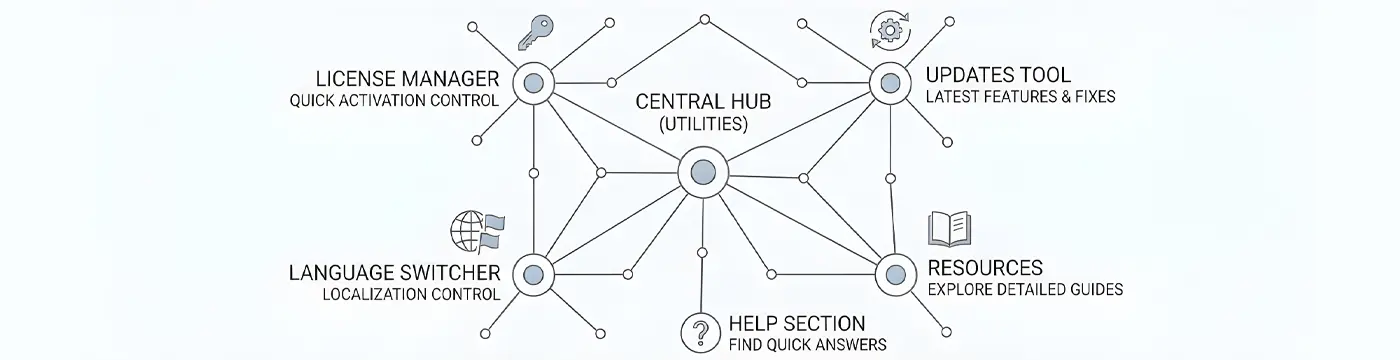
08. SPCAD UTILITIES & SYSTEM MANAGEMENT
Manage licenses, updates, and language settings from a central hub. Access resources and help tools for a stable, localized, and well-supported workflow.
Training & Tutorials
TECHNICAL SPECIFICATIONS
| AutoCAD Support | 2014 to 2026 |
| License Model | Annual Subscription |
| Multi-Device Activation | A single license can be activated on up to five devices |
| Free 14-Day Trial | Fully functional trial available with flexible extensions |
GLOBAL LOCALIZATION
Available in 8 languages for international teams:


